

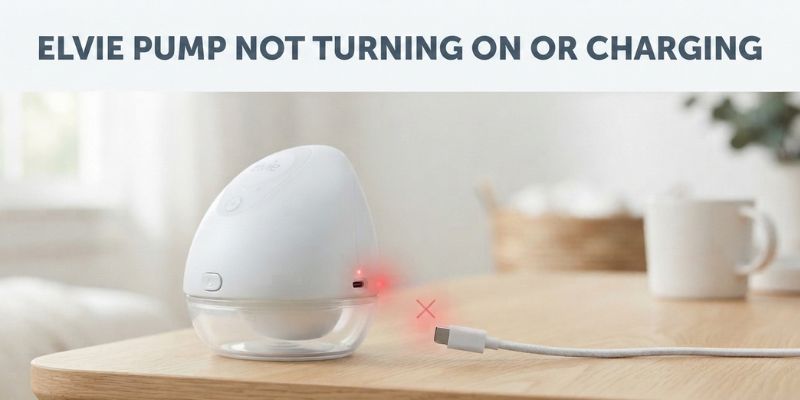
The Elvie Pump is an ultra-quiet, ultra-discreet wearable motorised breast pump with discreet app control designed for workplace-friendly discretion and includes automated milk tracking to build and maintain your stash with ease.
If you haven’t used your Elvie Pump (Breastmilk Pump) for an extended time and it won’t switch on or refuses to take a charge, you’re not alone. It’s one of the most common problems pump owners search for, and the fix is usually far simpler than it looks. Before you assume the battery is dead, work through the steps below. They come from Elvie’s own support advice, plus what I found when we revived a Pump that had sat unused for about 4 years.
Quick Fix: The Official Elvie Steps
Elvie’s support team gives a short checklist for exactly this problem, and it’s worth running through in order before you try anything else.
1. Unplug it first. Elvie Pump will not turn on while it’s connected to the charger. If you’ve been pressing the power button with the cable still in, that’s likely the whole issue. Disconnect it, wait a moment, then try the button again.
2. Charge from a laptop or desktop, not a wall plug. Take the charging cable that came in the box and plug it directly into the USB port of a laptop or desktop that’s switched on. Leave it for at least 30 minutes. A computer’s USB port gives a steadier, lower-draw charge than a wall adapter or extension lead, which rules out the plug itself as the culprit. If you’ve got a second compatible USB cable (or the spare one from a double Pump), try that too, in case the original cable has failed.
Elvie’s guidance is clear that a computer USB port is the most dependable way to get a stuck Pump charging again. Elvie Pump not charging or turning on, and this matches what I experienced.
3. Still nothing after that? If there are no lights at all while it’s charging, or the Pump won’t power on after a proper charge attempt, contact Elvie directly. Anything within the two-year Hub warranty qualifies for a replacement.
Elvie Pump (Breastmilk Pump) Storage Mode Can Trick You Into Thinking It’s Dead
I recently ran into this exact issue with a Pump that had been left in a drawer for about four years. No lights, no response to the power button, nothing. Our first assumption was a dead battery. It wasn’t.
Elvie builds a protective storage mode into the Pump. If it goes unused for a long stretch, the battery management system shuts things down to stop the cell from degrading. Elvie’s own support documentation confirms the Pump automatically transitions into storage mode to protect the battery when it hasn’t been used for a while, and that a full charge is needed to bring it back out again.
The official advice is to charge for 20 minutes to exit storage mode. In my case, after roughly four years of sitting idle, 20 minutes on a standard wall charger did not work, but a laptop USB port worked exactly as Elvie’s troubleshooting page describes.
Signs Your Elvie Pump Is in Storage Mode, Not Actually Broken
If you’re seeing any of the following, don’t write the Pump off just yet:
- Plugged into a wall USB charger, the red charging light comes on for around five minutes. It then switches itself off again.
- Plugged into a laptop or computer USB port instead, the red light stays on. It doesn’t cut out after five minutes like it does on a wall charger. That’s a good sign it’s actually taking charge.
- Left on a computer USB port overnight, or for a couple of hours at minimum, the light eventually turns green. The Pump switches on and off normally again.
- Once it’s been revived this way, it goes back to charging normally from a standard wall USB charger. This seems to be a one-off step to break it out of storage mode, not something you need to repeat each time.
If your Pump has been sitting unused for months or years, try the laptop method first. Give it at least an hour before assuming it’s faulty.
Other Things Worth Checking
Give it time before you panic. After a long period of inactivity, the charging light might not come on straight away. A battery that’s dropped very low can take a few minutes of trickle charging first. The indicator may not register anything until then.
Never try to switch it on while it’s still connected to the charger. Elvie Pump (breastmilk Pump) is designed to stay off while charging. Pressing the power button with the cable in won’t do anything. It’ll just waste your time.
Check the charging port and cable tip. Dried milk residue or general debris in the port can stop a good connection from forming. A clean, dry cotton bud is usually enough to clear it. Do this before you assume the battery itself is the problem.
Conclusion
If you’ve worked through all of the above and your Elvie Pump still won’t charge or turn on, it’s time to contact Elvie’s support team directly. Have your serial number to hand. It starts with S/N and is printed on the box, or on the Hub itself. This speeds up any warranty claim.
Questions People Ask
Why won’t my Elvie Pump turn on even though it’s plugged in?
Elvie Pump is designed to stay off while it’s connected to the charger. Unplug it first, then try the power button again.
How long does it take to charge an Elvie Pump from flat?
A full charge typically takes around two hours, giving roughly two and a half hours of pumping depending on your intensity settings. If the Pump has been in storage mode, the first charge from a laptop or computer may need to run longer, up to a couple of hours, before it registers properly.
What is Elvie Pump storage mode?
It’s a battery-protection feature that activates when the Pump hasn’t been used for an extended period. It stops the battery degrading while sat idle, but it also means the Pump won’t respond normally until it’s been charged for long enough to exit that mode.
How do I get my Elvie Pump out of storage mode?
Plug the original charging cable directly into a laptop or desktop USB port and leave it charging. Elvie’s official guidance says 20 minutes is usually enough, though a Pump that’s been unused for years may take considerably longer.
Why does the charging light turn off after five minutes on a wall charger?
This is one of the clearest signs of storage mode. A wall adapter often can’t sustain the low, steady charge needed to wake the battery, so the light comes on briefly and then cuts out. Switching to a computer USB port usually solves it.
My Elvie Pump has been charging for hours and still won’t turn on. What now?
If there are no lights at all during charging, or the Pump still won’t power on after several hours on a laptop USB port, get in touch with Elvie’s support team. Pumps within the two-year Hub warranty are eligible for a replacement.
Can I damage my Elvie Pump by leaving it unused for a long time?
Not permanently, in most cases. Storage mode exists precisely to protect the battery during long periods without use. It can make the Pump look unresponsive, but that’s different from actual damage, and a proper charge from a computer USB port usually brings it back.
