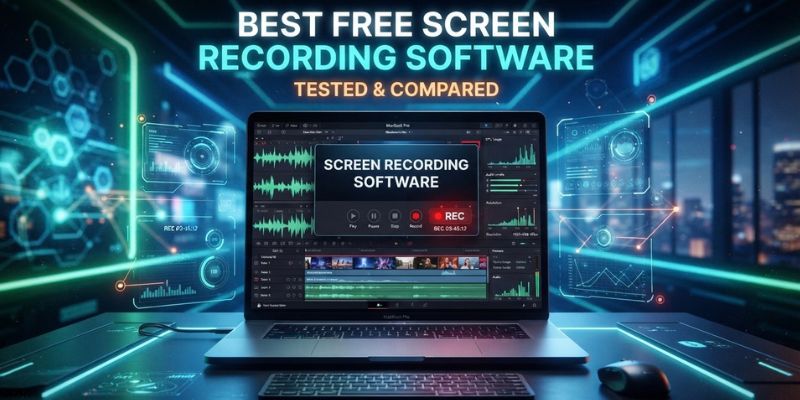
Most “best free screen recorder” round-ups still treat the built-in Windows tool as an afterthought, then push you toward a “free” app that stamps a watermark across your video or caps you at five minutes. We tested six tools that are free in the way that word should mean — no watermark, no forced trial, no card details — including the Snipping Tool, which has quietly become a genuinely capable recorder in its own right. Six stood out, and the right pick depends on whether you’re capturing gameplay, a quick bug report, or a full tutorial with a voiceover.
Quick Answer: The Best Free Screen Recorders in 2026
- Best all-rounder: ShareX, for screenshots and recording in one endlessly customisable app
- Best for gaming and streaming: OBS Studio, for multi-source capture with zero cost
- Best built-in option: Windows Snipping Tool, for recording with nothing to install
- Best for beginners and teams: Monosnap, for instant cloud links and simple sharing
- Best for older PCs: CamStudio, for a lightweight, low-resource recorder
- Best for tutorials: Free Cam, for genuinely free, watermark-free screencasts
1. ShareX: Best Free Screen Recorder Overall
ShareX has been in active, open-source development for close to two decades, and it shows in how much sits behind the free tier: region, window and scrolling screen capture, screen recording to MP4 or GIF, a full annotation and redaction editor, OCR, and automatic uploading to more than 80 destinations after every capture. The workflow system lets you chain capture, edit and upload into a single keypress, so once it’s set up you rarely touch a menu again.
The trade-off is that ShareX is built for power users first. The settings panel is dense, there’s no built-in video trimming beyond the capture itself, and it’s Windows-only, so Mac and Linux users are out of luck.
- Platforms: Windows only
- Free scope: Fully free, open source, no watermark, no limits
- Standout feature: One-click capture-to-upload workflows across 80+ destinations
Visit ShareX’s official website to download the app.
2. OBS Studio: Best for Gaming and Streaming
OBS Studio grew out of live streaming, and that background makes it the strongest free option once a recording needs more than one thing on screen at once. You can layer game capture, webcam, microphone and browser sources into a single scene, apply real-time audio filters like noise suppression, and switch between an unlimited number of scenes using custom transitions and hotkeys. Nothing else free comes close for gameplay footage or anything resembling a live production.
That flexibility comes with a steeper setup than a single-purpose recorder, and OBS uses noticeably more system resources than ShareX or the Snipping Tool. It’s also overkill if all you want is a five-minute screen-share clip.
- Platforms: Windows, Mac, Linux
- Free scope: Fully free, open source, no watermark, no limits
- Standout feature: Unlimited scenes with multi-source, real-time audio mixing
Visit OBS Studio’s official website to download the app.
3. Windows Snipping Tool: Best Built-In Option
The Snipping Tool has moved well past its screenshot-only roots. On Windows 11, pressing Win + Shift + R opens the video recording overlay directly, no separate download required, and it captures both microphone and system audio at once. Once you stop recording, “Edit in Clipchamp” hands the clip straight to Microsoft’s free video editor for trimming, captions and audio clean-up, and the Text Actions button pulls text out of a static screenshot using on-device OCR.
It targets a very different user to a tool like ShareX: someone who wants a recording now, with nothing to install. It has no annotation tools during recording itself and, understandably, no multi-destination upload workflow.
- Platforms: Windows 10/11 only
- Free scope: Fully free, built into Windows, no watermark, no limits
- Standout feature: One-click handoff to Clipchamp for editing, captions and audio
Visit Microsoft’s Snipping Tool guide for the full feature list.
4. Monosnap: Best for Beginners and Remote Teams
Monosnap keeps its interface simple without cutting the features remote teams actually reach for. Area capture, annotation, and video or GIF recording are all a click away, and every capture can upload straight to Monosnap’s own cloud with a shareable link attached — useful for sending a quick bug report or walkthrough without attaching a file to an email. The free tier includes 2GB of cloud storage for single, non-commercial users.
That 2GB allowance is generous for occasional use but fills up fast with daily recording, and Monosnap’s editing and annotation tools are noticeably lighter than ShareX’s.
- Platforms: Windows, Mac
- Free scope: 2GB free cloud storage, no watermark
- Standout feature: Instant shareable links from Monosnap’s own cloud
Visit Monosnap’s official website to download the app.
5. CamStudio: Best Lightweight Recorder for Older PCs
CamStudio has been recording screens since 2001, and the project has been rebuilt from the ground up for 2026 under new, independent development. The rewrite brings modern H.264, H.265 and AV1 encoding with AAC or FLAC audio, app-specific audio capture, and options to cap recordings by time or file size, all while staying light enough to run comfortably on older hardware.
Worth flagging: the CamStudio name picked up a poor reputation in the 2010s after older third-party installers bundled adware. This is a clean, independently developed rewrite, but stick to downloading from camstudio.org directly rather than a software aggregator site.
- Platforms: Windows only
- Free scope: Fully free, open source, no watermark, no limits
- Standout feature: Modern H.264/H.265/AV1 encoding on minimal system resources
Visit CamStudio’s official website to download the app.
6. Free Cam: Best for Simple Screencasts and Tutorials
Free Cam, made by iSpring, is built for tutorial and e-learning content: record your screen, a selected area, or a single window, add a microphone voiceover and system sound, then trim the clip and remove background noise with the built-in editor. It’s genuinely free forever, with no watermark and no time limit, which is rare among “free” recorders.
The catch is the export format. The free version saves as WMV at 720p, and MP4 export is locked behind the paid Cam Pro upgrade, so it’s a poor fit if you need the file to go straight into another editor.
- Platforms: Windows only
- Free scope: Free forever, no watermark, no time limit; WMV export only
- Standout feature: Built-in trimming, noise removal and direct YouTube upload
Visit Free Cam’s official website to download the app.
| Best Free Screen Recorders 2026 Compared | |||||
|---|---|---|---|---|---|
| Tool | Platforms | Output Format | Free Tier Limits | Core Strength | Best For |
| ShareX | Windows | MP4, GIF | None | Capture + edit + upload workflow | Power users |
| OBS Studio | Windows, Mac, Linux | MP4, MKV, FLV | None | Multi-source, multi-scene capture | Gaming and streaming |
| Windows Snipping Tool | Windows 10/11 | MP4 | None | Built in, zero install | Quick one-off recordings |
| Monosnap | Windows, Mac | MP4, GIF | 2GB cloud storage | Instant shareable links | Beginners and teams |
| CamStudio | Windows | MP4 (H.264/265, AV1) | None | Lightweight, modern codecs | Older or low-spec PCs |
| Free Cam | Windows | WMV (720p) | MP4 export needs Cam Pro | Built-in trim and noise removal | Tutorials and screencasts |
How to Choose the Right Free Screen Recorder
Match the tool to what you’re actually recording rather than defaulting to whichever app is best known. For gameplay or anything with multiple sources on screen, OBS Studio is the only free tool built for that. For a one-off recording with nothing to install, the Snipping Tool now genuinely covers the basics on Windows 11. Power users who record often and want capture, editing and sharing in one workflow get more out of ShareX, while teams who just need to send a quick clip with a link attached will find Monosnap faster to use day to day.
Worth checking before you commit to any of them: does the export carry a watermark, is the output format one your other software can actually open, and does the free tier cap file length or storage? All six tools here are watermark-free. Only Monosnap and Free Cam impose a real-world limit — cloud storage on Monosnap, and MP4 export on Free Cam.
Conclusion
For most people, ShareX is the easiest recommendation: fully free, open source, and flexible enough to cover screenshots and recording in one app. Gamers and anyone streaming should go straight to OBS Studio. If you’d rather not install anything at all, the Windows Snipping Tool now does a genuinely good job. Monosnap suits teams sharing links fast, CamStudio is worth a look on older hardware, and Free Cam is a solid pick for tutorials once you’re comfortable with its WMV output.
Questions People Ask
Is the Windows Snipping Tool good enough for screen recording?
For quick clips, yes. On Windows 11 it records video with microphone and system audio, and hands the result straight to Clipchamp for trimming and captions. It doesn’t match ShareX or OBS Studio for advanced capture options, but for a one-off recording with no software to install, it’s a solid choice.
Do these tools record system audio and microphone at the same time?
ShareX, OBS Studio, the Snipping Tool, Free Cam and CamStudio can all capture microphone and system audio together. Check each app’s audio settings before recording, since some default to microphone-only.
Can I record my screen for free without a watermark?
Yes. Every tool in this guide is watermark-free, including Free Cam, which is unusual among “free” screen recorders that often save the no-watermark option for a paid tier.
What is the best free screen recorder for gaming clips?
OBS Studio. It’s built on streaming technology, handles game capture with minimal frame drops, and lets you mix in a webcam or overlay without a second app.
Is CamStudio safe to download in 2026?
The current release is a ground-up rewrite by an independent developer, distributed as open source on GitHub. The CamStudio name was associated with adware in some older third-party installers years ago, so only download it from camstudio.org rather than a software aggregator site.
Which free screen recorder works on a Mac?
Of the tools tested here, OBS Studio and Monosnap both run on macOS. ShareX, the Snipping Tool, CamStudio and Free Cam are Windows-only.
Can I edit my recording after capturing it, for free?
Free Cam and the Snipping Tool (via Clipchamp) both include basic trimming, caption and audio editing at no cost. ShareX, Monosnap and CamStudio focus on capture rather than editing, so pair them with a separate free video editor for anything beyond a simple trim.
